Higgsfield Genjutsu Alternative: Maboroshi Prices Compared, and How We Rebuilt It (2026)
By DeHub Team — 2026-10-24
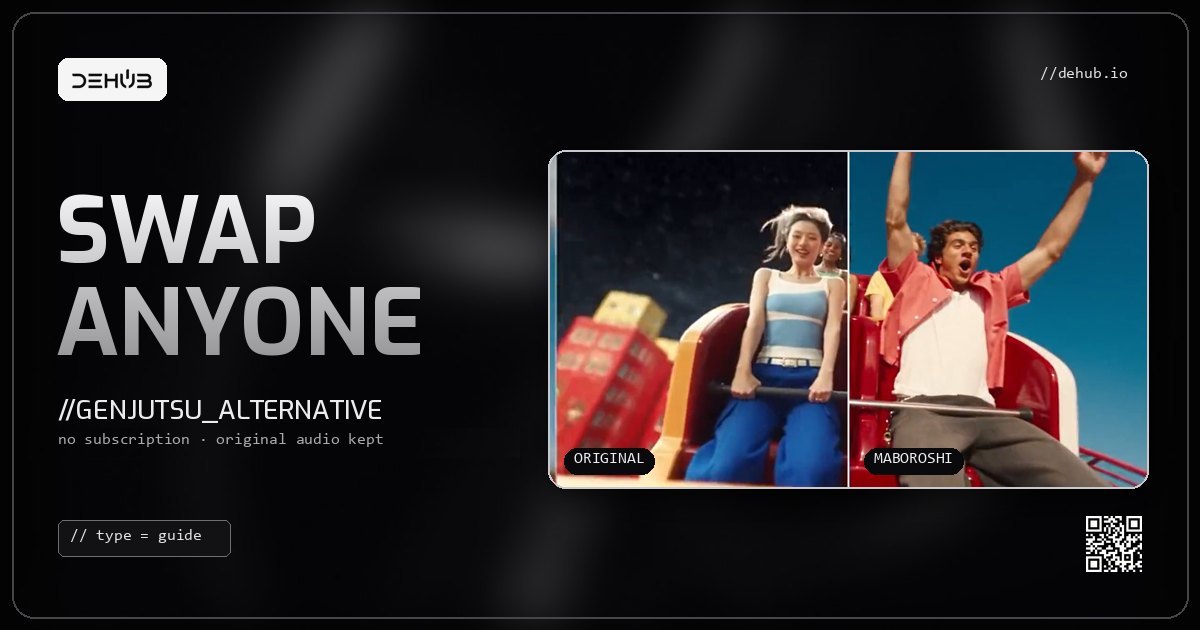
Higgsfield Genjutsu took over feeds in September: cats rapping, friends dropped into music videos, a stranger on a rollercoaster turned into someone else while the camera, the light and the crowd stay exactly as filmed. It is the most fun AI video trick of the year. It is also a black box that you rent by the month.
Maboroshi is DeHub's version of the same idea, built into DeHub Creator. This guide does three things. It shows you what it makes, it puts the prices side by side with Higgsfield's own published numbers, and it opens the box: every step of the pipeline, where it came from, and why each piece is there.
What Genjutsu-style editing actually is
Most AI video tools make a clip from nothing. You type a prompt and hope the camera move, the timing and the framing come out right. Genjutsu-style editing works the other way round. You start with a real video that already has the movement you want, and you replace one thing in it.
There are two flavours:
- Subject swap. Keep the shot, the motion and the background. Replace the person (or animal, or product) with a new character from a reference image.
- Motion transfer. Take the movement from the clip and give it to a new character in a new scene.
Because the motion comes from real footage, the result moves like real footage. That is why these clips look so much better than pure text-to-video, and why they spread so fast.
Higgsfield Genjutsu vs DeHub Maboroshi at a glance
- Source clip: Higgsfield takes 4–30 seconds. Maboroshi takes 3–15 seconds on Kling, or 2–30 seconds on Seedance Premium.
- References: Higgsfield takes up to 30 images. Maboroshi takes one or two images on Kling, and images or video on Seedance.
- Presets: Higgsfield has 30+. Maboroshi has 180 looks in 20 categories.
- Original audio: Higgsfield does not say. Maboroshi puts the source soundtrack back, untouched.
- How you pay: Higgsfield uses subscription credits. Maboroshi charges per clip, with no subscription.
- Price before you pay: Higgsfield shows credits. Maboroshi shows dollars, and the quote is the charge.
- Multi-shot clips: Maboroshi's Remake rebuilds up to 8 shots and stitches them back together.
- Failed jobs: on Maboroshi, a job that fails before it starts is refunded automatically.
The price comparison
Higgsfield only publishes Genjutsu prices for a 15-second clip, so that is the length we compare on. Its figures come from its own Genjutsu launch page, checked September 2026, where it converts credits to dollars at about 5 cents a credit. DeHub's figures come straight from the Maboroshi price list.
A 15-second clip:
- Higgsfield Genjutsu, 480p: 40 credits, about $2.00
- Higgsfield Genjutsu, 720p: 104 credits, about $5.20
- Higgsfield Genjutsu, 1080p: 144 credits, about $7.20
- DeHub Maboroshi, Kling route: $0.28 a second plus $0.35 a render = $4.55
- DeHub Maboroshi, Seedance Premium preview: $1 preparation plus $0.16 per billable second = $5.80
Shorter clips are where per-second pricing pays off. Higgsfield prices by the clip tier. Maboroshi's Kling route charges for the seconds you actually use:
- 5 seconds: $1.75
- 10 seconds: $3.15
- 15 seconds: $4.55
Most viral swaps are 5 to 10 seconds long, so most real jobs land between about $1.75 and $3.15.
The bigger difference is the subscription. To get Higgsfield's rates at all, you buy a monthly plan, and those credits work on Higgsfield's timer, not yours. Maboroshi has no plan. You pay for the clip you are making, in DHB or with your DeHub Creator credit, at a fixed rate of 1,000 DHB to $1 of generation. Credit you top up on DeHub never expires.
Where Higgsfield is cheaper
A comparison that only shows the flattering rows is an advert, so here are the unflattering ones.
- 480p is cheaper on Higgsfield. If a low-resolution clip is all you need and you already pay for a plan, $2.00 for 15 seconds beats us.
- Full 1080p from Seedance costs much more on DeHub. Our Seedance Premium route bills $0.85 for every input and output second at 1080p, because that is close to what the model costs us to run. A 15-second clip finished at 1080p comes to about $31. Higgsfield's $7.20 is far lower. We will not pretend otherwise. For most creators the Kling route is the right default, and Seedance Premium is for jobs where you want to check every frame before paying for the final render.
How we rebuilt it, step by step
Higgsfield does not publish how Genjutsu works. The open-source community worked it out anyway. Our starting point was the MIT-licensed Genjutsu Open Source Workflow by Sirio Berati, which showed that the effect is not one magic model. It is a chain of well-known open models feeding a reference-to-video model. We took that workflow, kept the parts that matter, replaced the parts that were not safe to run for real users, and turned it into a hosted product with payments, review steps and recovery.
Here is the chain, in the order a clip goes through it.
1. Normalise the clip
Every upload is converted to a steady 24 frames per second and scaled to at most 960 pixels on its long side. AI models behave much better on clean, predictable frames, and it keeps processing fast and cheap. The source must be 30 seconds or less and must include an audio track.
2. Split the audio
The soundtrack is separated with Demucs, an open model that splits vocals from music. That lets us hand the video model only what it needs, and keep the original sound safe for the end.
3. Map the depth
Video Depth Anything estimates how far every pixel is from the camera, frame by frame. The depth map is what keeps the new subject sitting in the same space as the old one, at the right size, behind the right objects.
4. Cut out the subject
SAM 3 Video (Meta's Segment Anything) finds the subject you named, for example "person", and draws a clean mask around it in every frame. Small fragments at the edges are cleaned up automatically so the model is not confused by stray pixels.
5. Track the face
MediaPipe Face Landmarker traces a mesh over the face. That is what keeps expressions, head turns and lip movement in step with the original performance.
6. You review the mask
Depth, mask and face mesh are combined into one control video, and you see it before anything expensive happens. If the cut-out is wrong, you stop there. The final render will only run on the exact version you approved. Change anything and the approval resets.
7. Render a cheap draft, then the final
On the Seedance Premium route, Seedance 2.5 reference-to-video renders a draft from the control video plus your reference images. Only if you like the draft do you pay for 1080p, and the final is made from that same draft, so what you approved is what you get.
On the Kling route, the original clip and one or two character images go to Kling's video-to-video edit model in one pass. No preparation step, no draft. It is the faster and cheaper path, and the one we recommend for most swaps.
8. Put the original sound back
Both routes finish by restoring the complete original audio track, copied over untouched rather than re-encoded. The voice, the beat and the timing are exactly as you filmed them. This is the detail people notice first when they compare outputs.
What we changed from the open-source version
- No public upload hosts. The original workflow sent media through temporary public file hosts. Maboroshi keeps every file on DeHub and hands the models expiring signed links instead.
- Your clips are private. Every job belongs to the account that made it. Nobody else can list it, see it or download it.
- Real payments with recovery. Each step has its own quote, and the quote must match the server's price before anything is charged. If a job fails before it is sent to the model, the charge is refunded. If something goes wrong mid-flight, the job is held for a check instead of being blindly retried and billed twice.
- Remake for multi-shot clips. Upload a clip with cuts, mark or auto-detect up to seven cut points, and Maboroshi turns it into up to eight separate shots. Each shot can be redone up to five times, then everything is stitched back together in order with the original audio, at no extra charge.
How to make your first swap
- Open dehub.io/creator/maboroshi, or pick Maboroshi in the video model search inside DeHub Creator.
- Browse the 180 looks if you want a starting direction. You can search and filter them before you even sign in.
- Upload a short clip with sound. For the Kling route, use 3–15 seconds with at least 720 pixels on each side.
- Add one or two clear images of your new character.
- Check the price, confirm, and download your clip. Then post it straight to your DeHub feed, where it can earn tips and watch-to-earn rewards instead of sitting in a downloads folder.
Each account can upload ten source clips a day and keep up to four jobs waiting at once.
Frequently asked questions
Is there a free Higgsfield Genjutsu alternative?
Not one that runs the full effect for free, because the video models behind it cost real money per second. The open-source Genjutsu workflow is free to run yourself if you have the hardware and your own model API keys. Maboroshi is the hosted version: no setup, no keys, and you pay per clip, from $1.75 for a 5-second swap.
How much does Higgsfield Genjutsu cost?
Higgsfield lists a 15-second Genjutsu clip at 40 credits for 480p, 104 credits for 720p and 144 credits for 1080p, which it puts at about $2.00, $5.20 and $7.20. You need a Higgsfield plan to get credits.
Do I need a subscription for Maboroshi?
No. Every clip is priced on its own and shown to you before you pay. You can pay in DHB or with DeHub Creator credit, and that credit never expires.
Does Maboroshi keep the original audio?
Yes. Both the Kling and Seedance routes put the complete original soundtrack back on the finished clip, untouched.
How long can my video be?
Up to 15 seconds on the Kling route and up to 30 seconds on Seedance Premium. For longer edits with several shots, use Remake, which splits a clip at its cuts and rebuilds it shot by shot.
Is my footage private?
Yes. Uploads, previews and results belong to your account and are shared with the video model only through short-lived signed links, for the job you asked it to run.
The fine print
Higgsfield's figures in this guide come from its Genjutsu launch page as checked in September 2026. It prices in credits and changes its plans often, so check its live pricing before you compare. Maboroshi prices are the retail rates at the time of writing. The price you see before each step is always the price you pay.